Runs on your server
A lightweight Windows server inside your network keeps every project, file and conversation on hardware you control.
Features
PLC programs, drawings, documents, robot programs and HMI exports, read together, so every answer can follow a signal from the drawing to the rung.
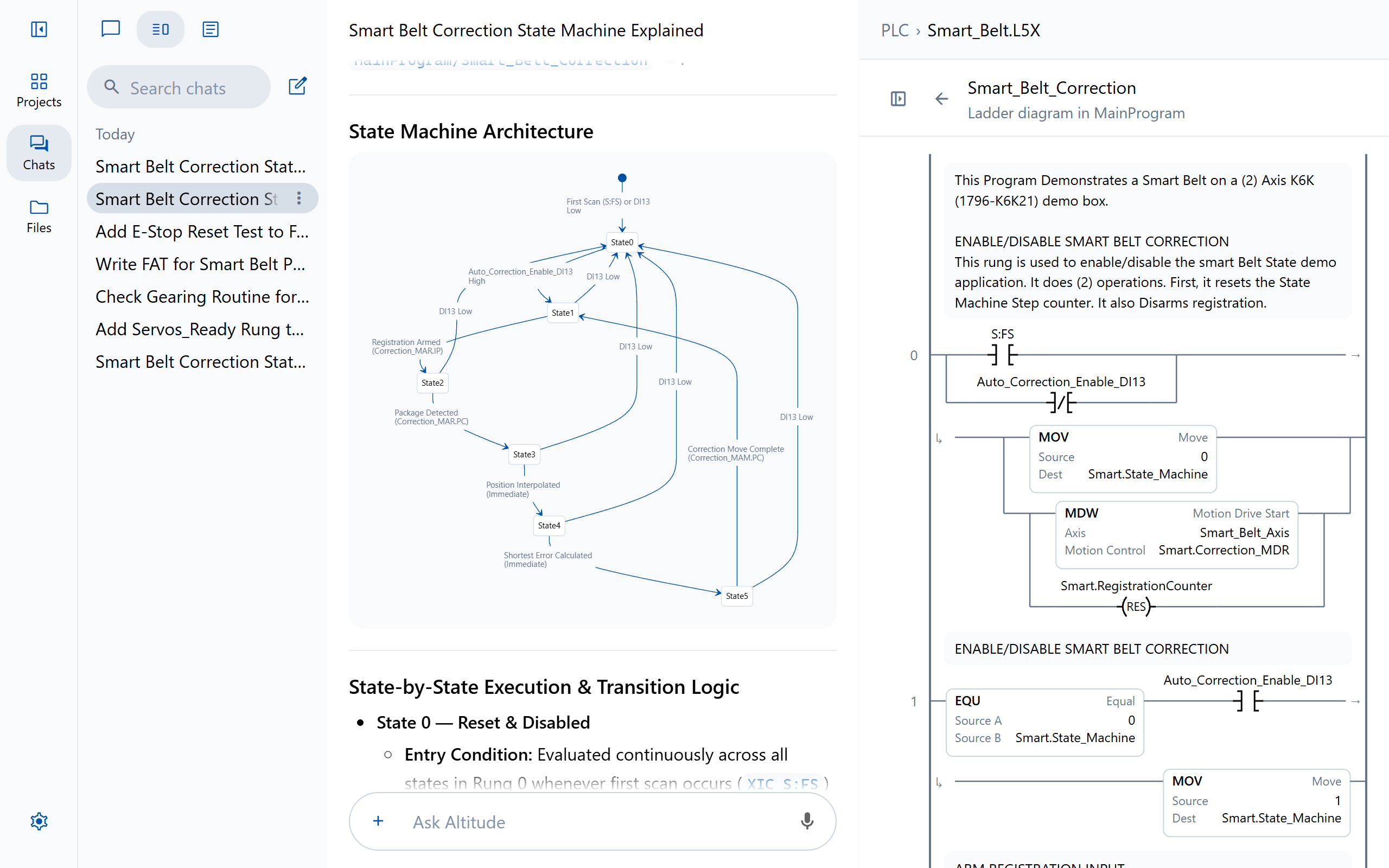
PLC
Open a PLC program and it reads the way your engineers know it, with every rung drawn as ladder. Ask about it, review it or change it, at any scope from the whole project to a single rung.
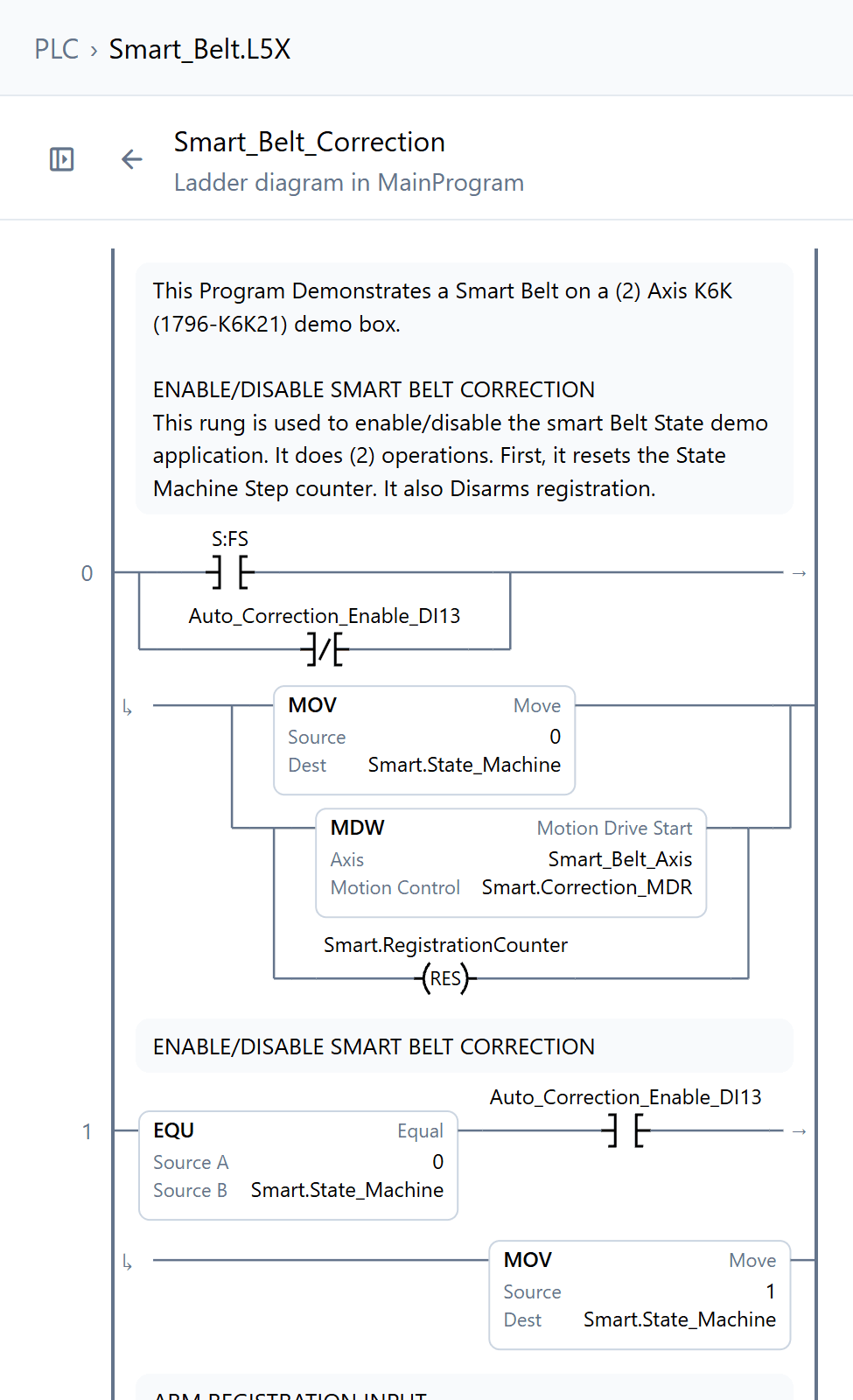
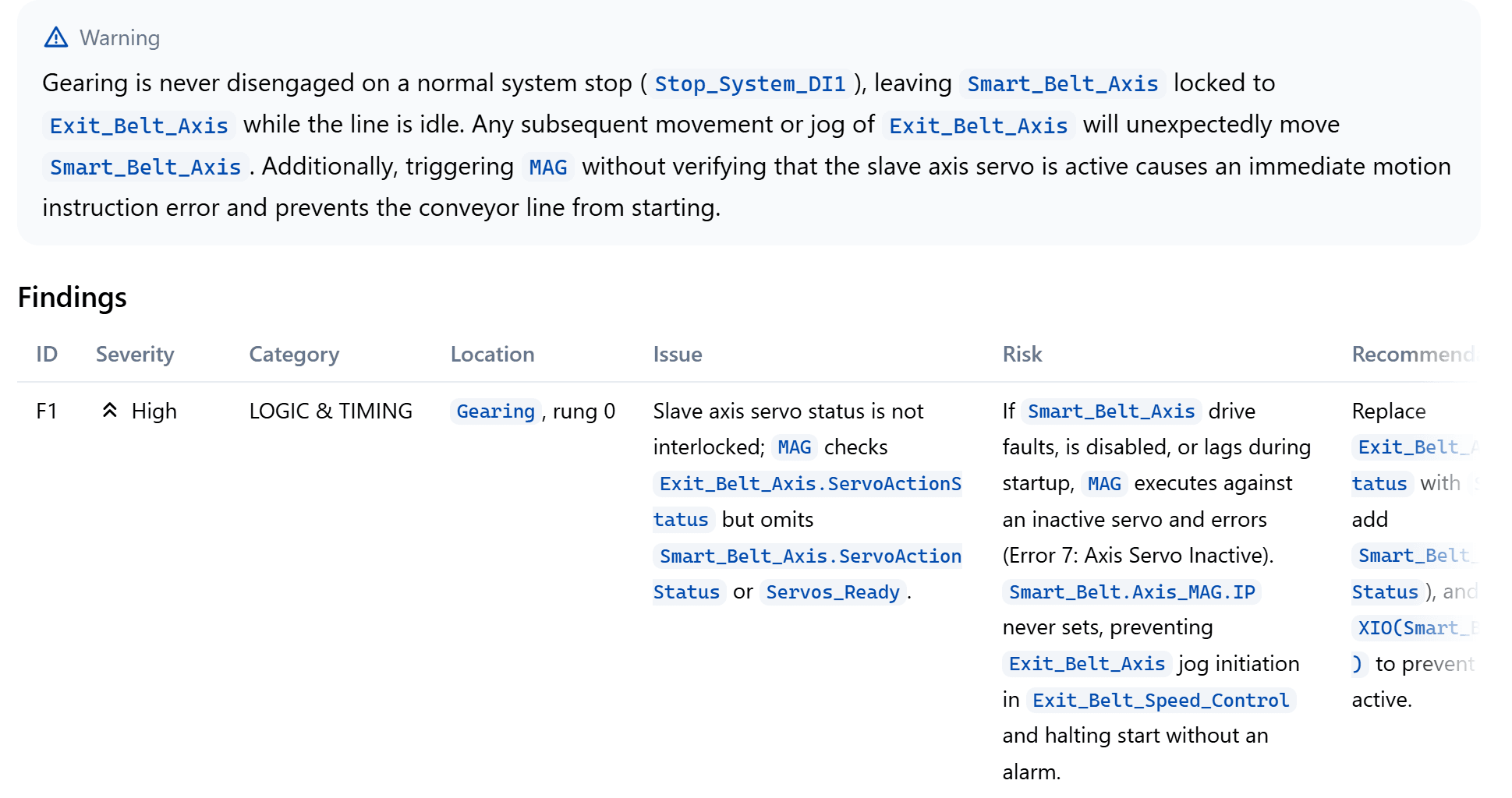
Edits
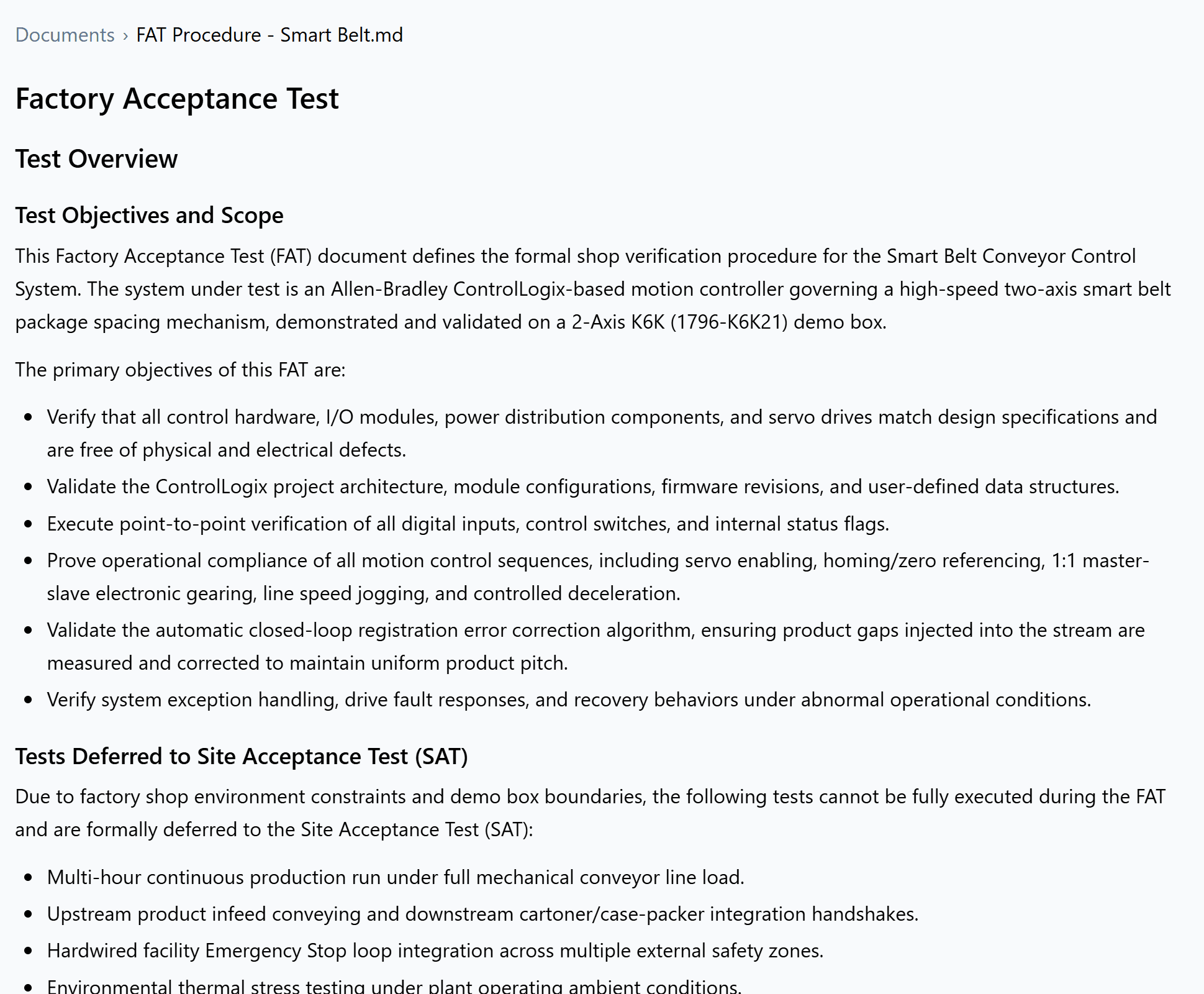
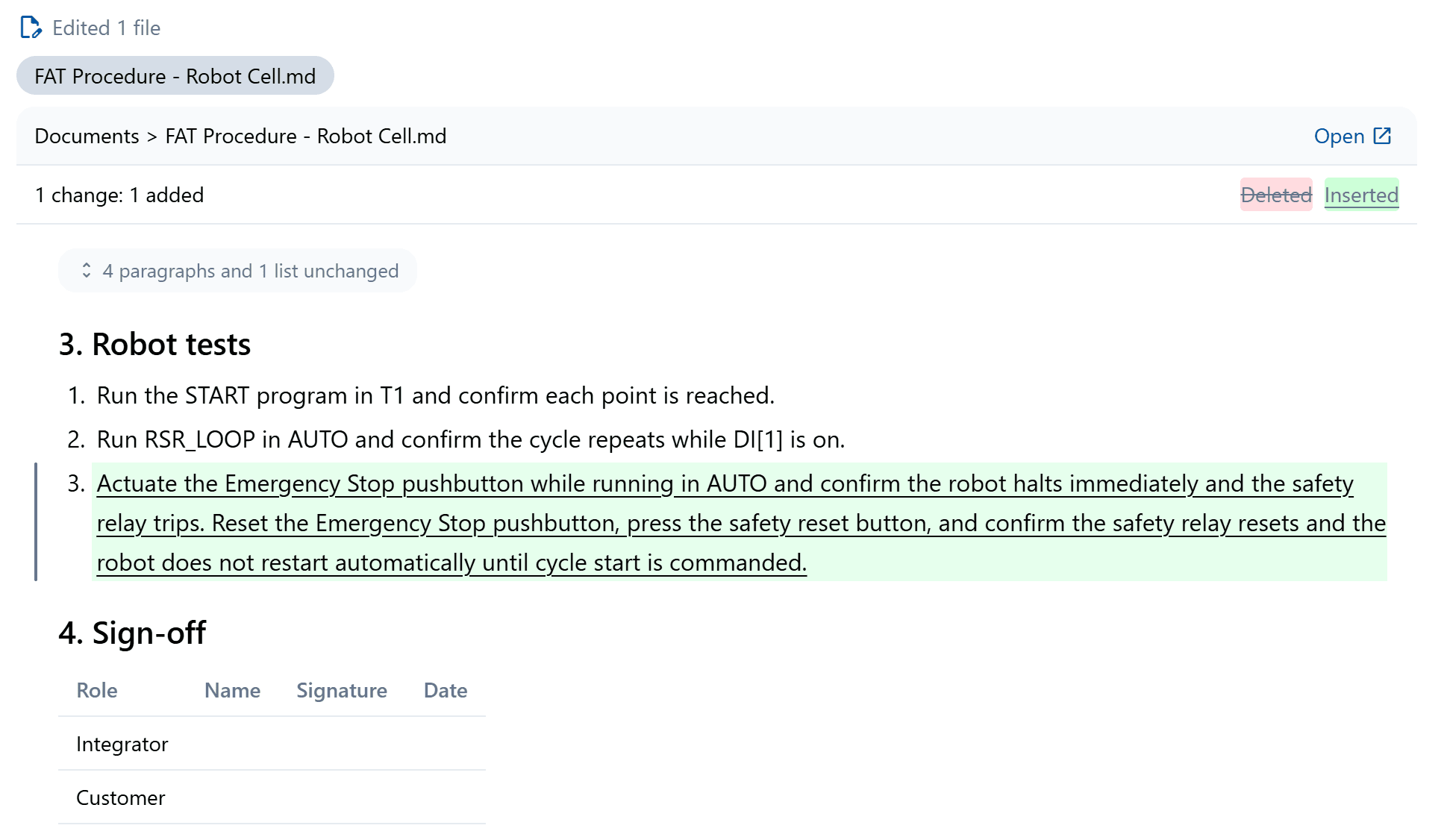
Altitude edits the project's own files and shows each change the way an engineer reviews one. Rungs before in red and after in green, tags as changed rows, documents as track changes.
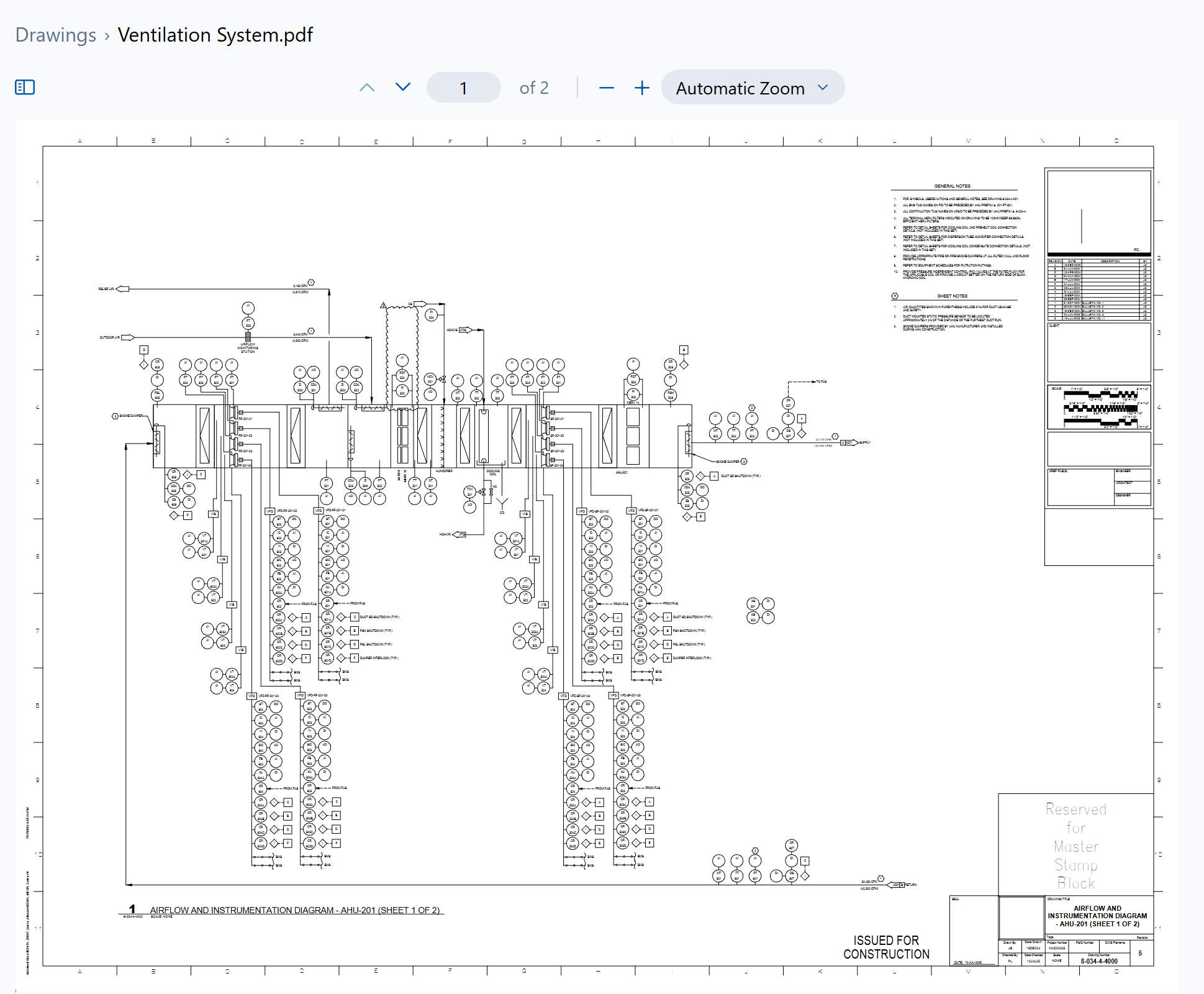
Drawings
Electrical and mechanical drawing sets, P&IDs and panel layouts, read page by page at the detail an engineer would look at them.
Documents
Quotes, proposals, functional specs, control narratives, sequences of operation, FATs, SATs and manuals, written from the project itself on your own templates.
Robots
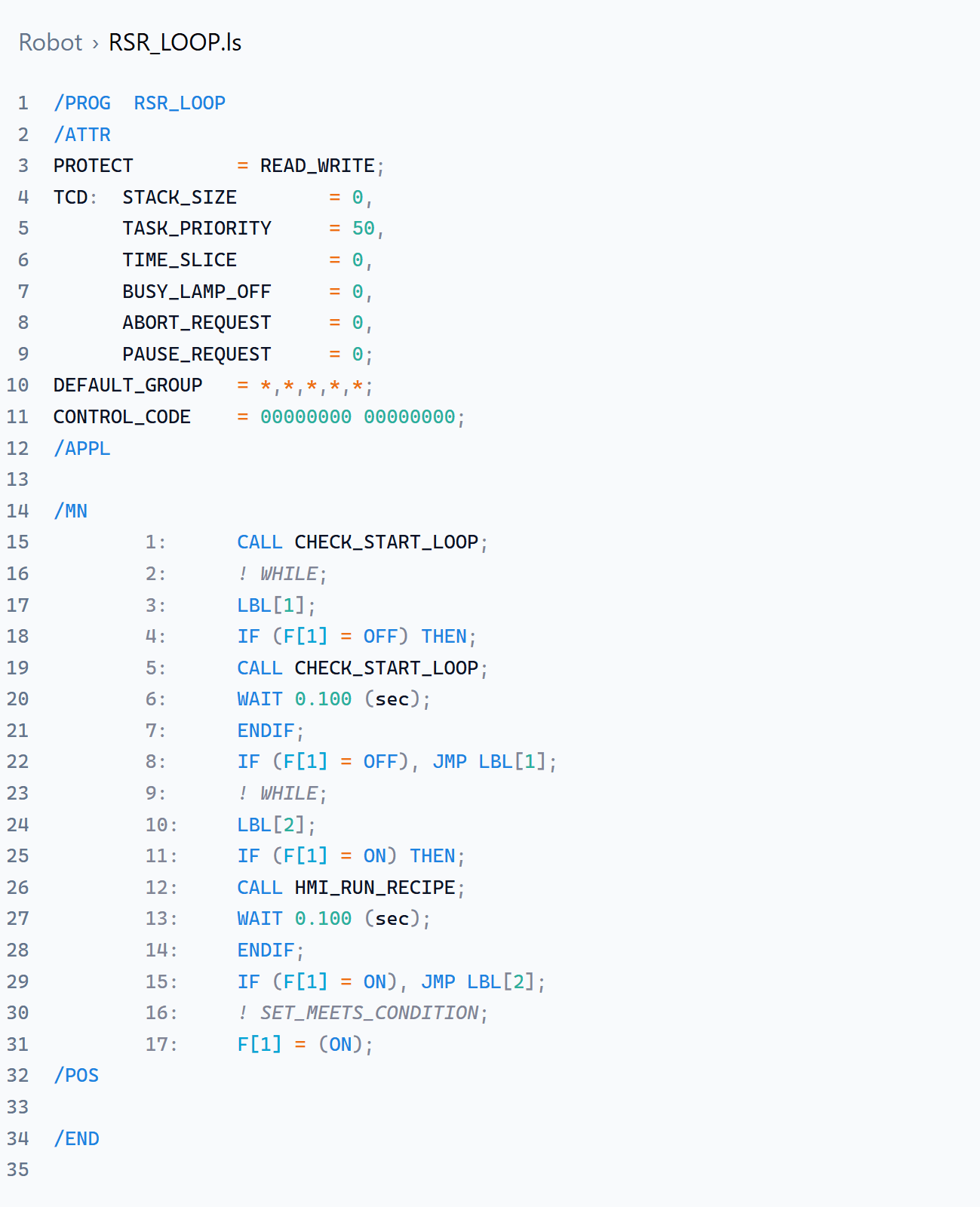
Teach pendant programs open colored by language and are explained line by line, then reviewed, edited or translated from one brand to another.
HMI and SCADA
HMI and SCADA exports are read beside the PLC, so the tags, alarms and screens an operator sees are checked against the logic behind them, and new tags and views are built straight from it.


Prompts
Type a slash to pick from built-in prompts for reviews, troubleshooting, documents and drawings, or save and share your team's own.

Enterprise
Altitude runs where your projects already live and follows the access rules your organization already has.
A lightweight Windows server inside your network keeps every project, file and conversation on hardware you control.
Microsoft SSO and Entra groups decide who sees each project. Files come in from SharePoint and go back out.
Every question, answer and change stays with its project for the whole team, with per-project audit logs.
Add your company's coding and naming standards, or name PackML or ISA-88, and every review and edit follows them.
Altitude puts the whole project in front of every engineer on the team: the code, the drawings and the documents, explained, checked and ready to change.