I/O lists, BOMs and schedules in Excel
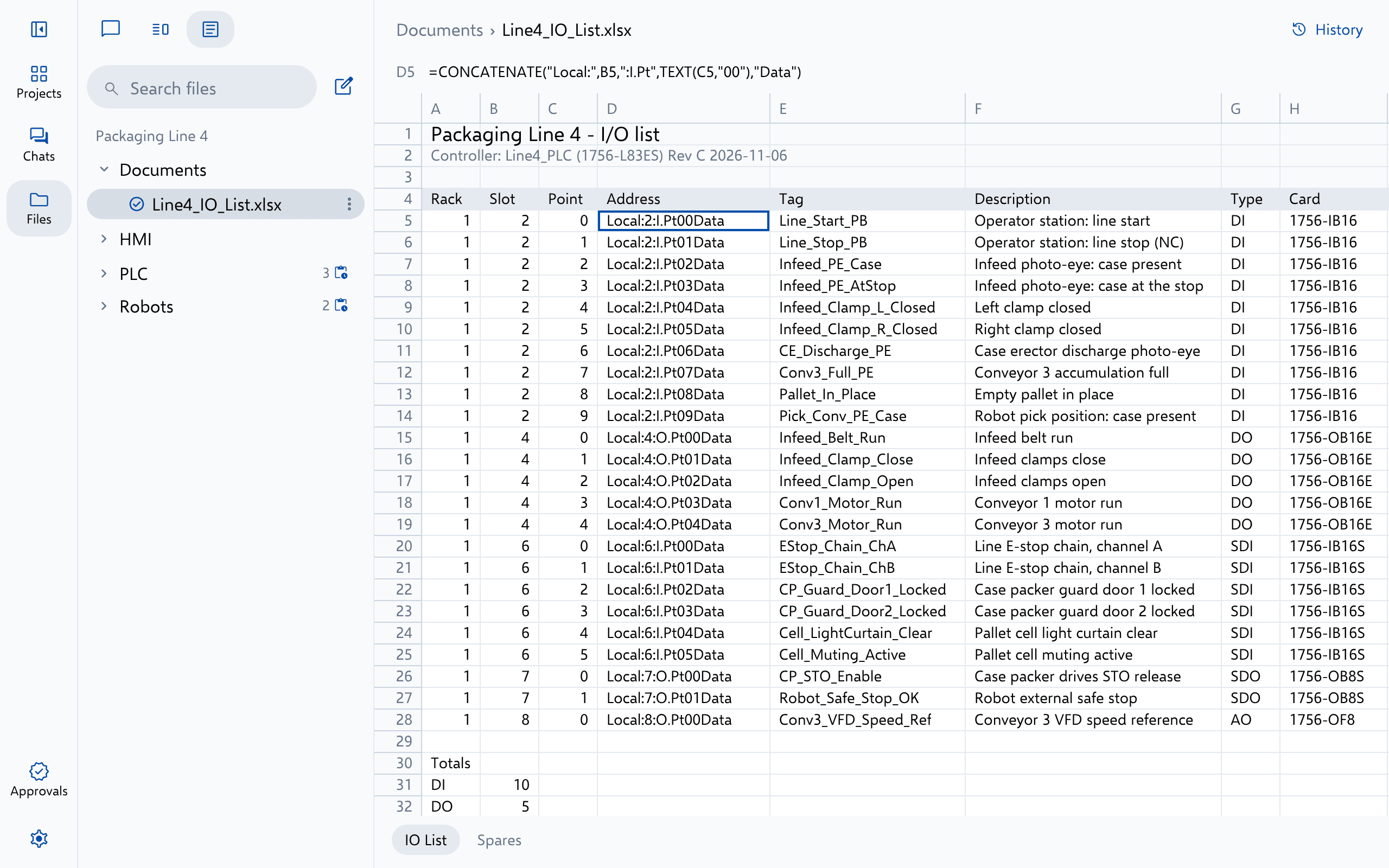
Altitude builds new workbooks, such as I/O lists, bills of materials and schedules, and changes existing ones by cell, row, column and sheet.
- Vendor
- Microsoft
- Files
- .xlsx.xlsm.csv
 Microsoft
- 1 Add the drawing package, template or workbook, or bring it in from SharePoint
- 2 Ask, then review the redline or the marked-up PDF in Altitude
- 3 Download the result, or send it back to SharePoint
What Altitude does
Everything a Microsoft Excel file holds, in one conversation
Ask about it, review it or change it. Every answer cites the file it rests on, and every change arrives as a redline your engineers approve, with every version kept.
- Build I/O lists from the drawings or the PLC, with the columns you use
- Change cell values, rows, columns and sheets in place
- Show every change to a workbook row by row
Try asking
Requests engineers type every day
- Build an I/O list from the PLC’s modules with our columns.
- Add the new reject station to the BOM.
Use it for
The work Microsoft Excel projects need most
More Drawings and documents
Read beside the rest of the line
Drawing packages Any CAD software Electrical, P&ID and panel drawing sets, read page by page. .pdf.dxf Microsoft Word Microsoft Specs, FATs, SATs and manuals, written on your own templates. .docx.md CNC G-code CNC part programs G-code part programs: read, explain and small value edits. .nc.cnc.tap.gcode
See Altitude on your Microsoft Excel files
We'll walk through the requests that matter to your team on the platforms you run, from review and troubleshooting to documents and migration.