AI for Siemens TIA Portal and STEP 7 programs
Altitude reads the files TIA Portal exports, lays the project out as TIA Portal shows it, and explains, checks and changes SCL, STL, LAD, FBD and GRAPH blocks, their data and the hardware they run on.
- Vendor
- Siemens
- Languages
- SCLSTLLADFBDGRAPH
- Files
- SimaticML.scl.awl.db.udtSIMATIC SD.aml
- Covers
- TIA Portal V14 to V21STEP 7 sourcesS7-1200S7-1500S7-300S7-400ET 200SP CPUs

- 1 Export blocks, tags and hardware with the Version Control Interface or Openness, or through Altitude’s TIA Portal bridge
- 2 Ask, review the change object by object, and approve it in Altitude
- 3 Import it back through the Version Control Interface, the bridge or TIA Portal’s own import
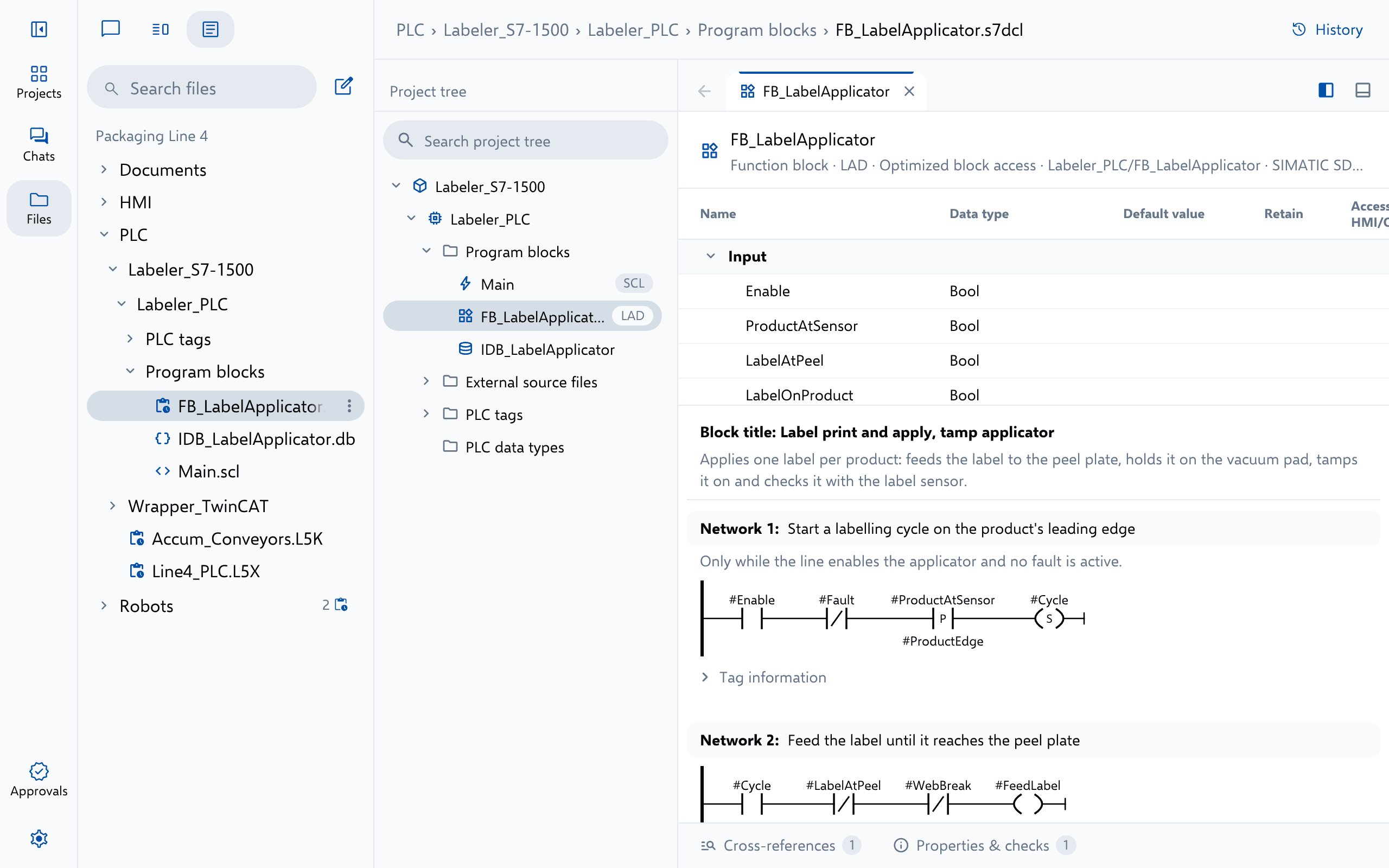
What Altitude does
Everything a TIA Portal and STEP 7 file holds, in one conversation
Ask about it, review it or change it. Every answer cites the file it rests on, and every change arrives as a redline your engineers approve, with every version kept.
- Explain and trace blocks, and cross-reference every tag, address and block
- Find errors against Siemens’ programming style guide, the compile rules for the project’s CPU or your own standard
- Change blocks, interfaces, networks, data blocks, data types and tag tables, and edit alarm texts and ProDiag supervisions
- List the hardware, its networked devices and their IP addresses, and reconcile the I/O against the drawings
- Plan new ET 200SP and ET 200MP stations, checked against slots, addresses and the network
- Export from and import into the open TIA Portal project through Altitude’s TIA Portal bridge
- Keep the project archive beside its export, versioned and approved like any file
- Check against industrial standards such as IEC 61131-3, ISA-88, ISA-95 and PackML, or your own
Try asking
Requests engineers type every day
- Which blocks write DB_Line4.Infeed.Speed, and under what conditions?
- Check FB_Palletizer against the Siemens programming style guide.
- Add an ET 200SP station for the new reject conveyor at 192.168.0.40.
Use it for
The work TIA Portal and STEP 7 projects need most
More PLC
Read beside the rest of the line
Studio 5000 Logix Rockwell Automation ControlLogix, CompactLogix and GuardLogix projects, from .L5X and .L5K exports. .L5X.L5K TwinCAT 3 Beckhoff TwinCAT 3 solutions, their EtherCAT I/O, NC motion and TwinSAFE projects. .sln.tsproj.plcproj.TcPOU EcoStruxure Control Expert Schneider Electric Control Expert, Unity Pro and PL7 exports for Modicon controllers. .xef.zef.fef PAC Machine Edition Emerson PACSystems and VersaMax programs and QuickPanel HMIs, from text exports. Machine Edition text exports
See Altitude on your TIA Portal and STEP 7 files
We'll walk through the requests that matter to your team on the platforms you run, from review and troubleshooting to documents and migration.