FAT, SAT and project documents
Write the documents from what you actually built
Specifications, sequences of operation, FATs, SATs and manuals, written from the project’s code, drawings and documents on your own templates, and edited in place as the project changes.
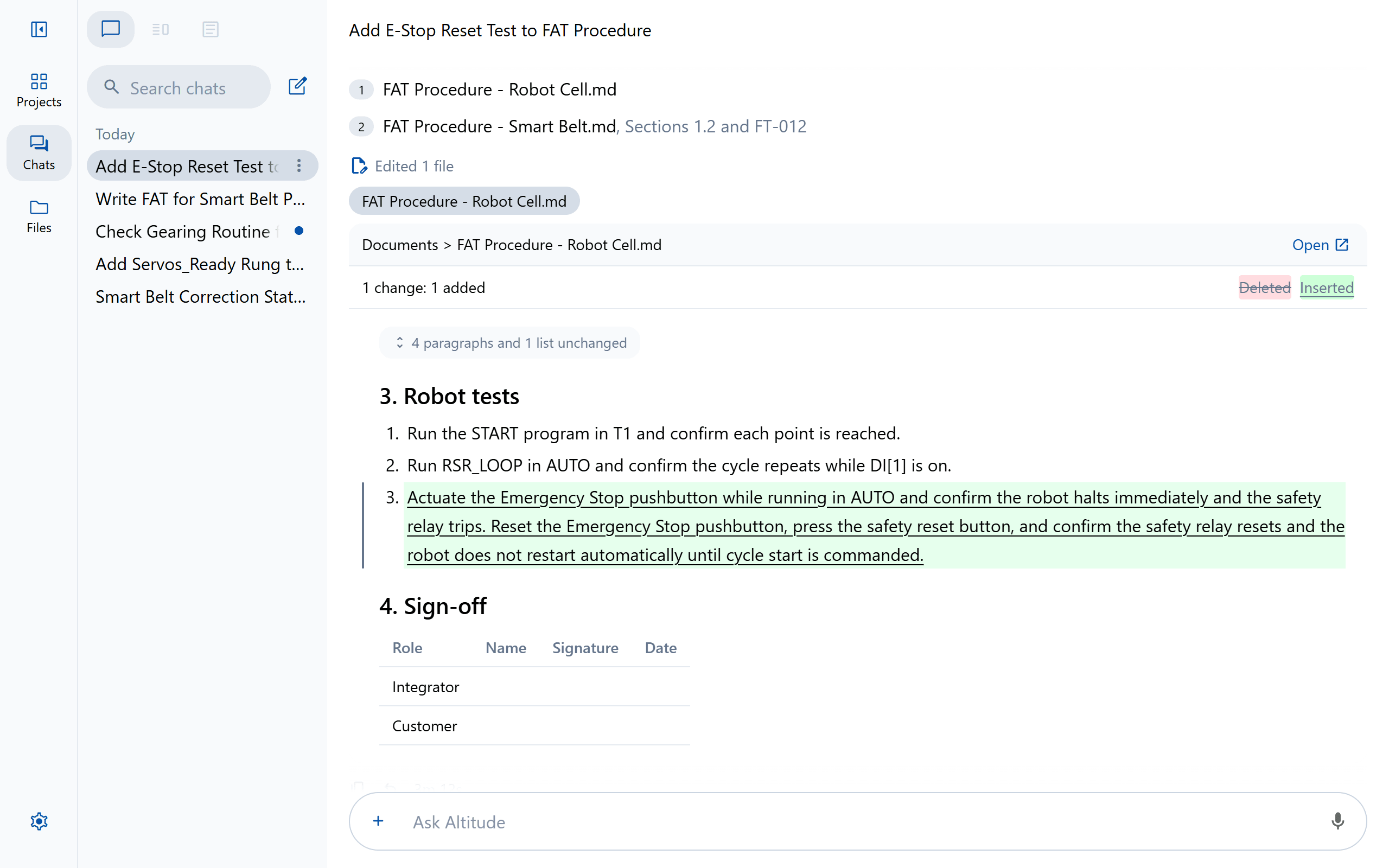
On your templates
Give Altitude a template and a finished example. New documents keep their logos, headers and formatting, and follow your rules for what to write.
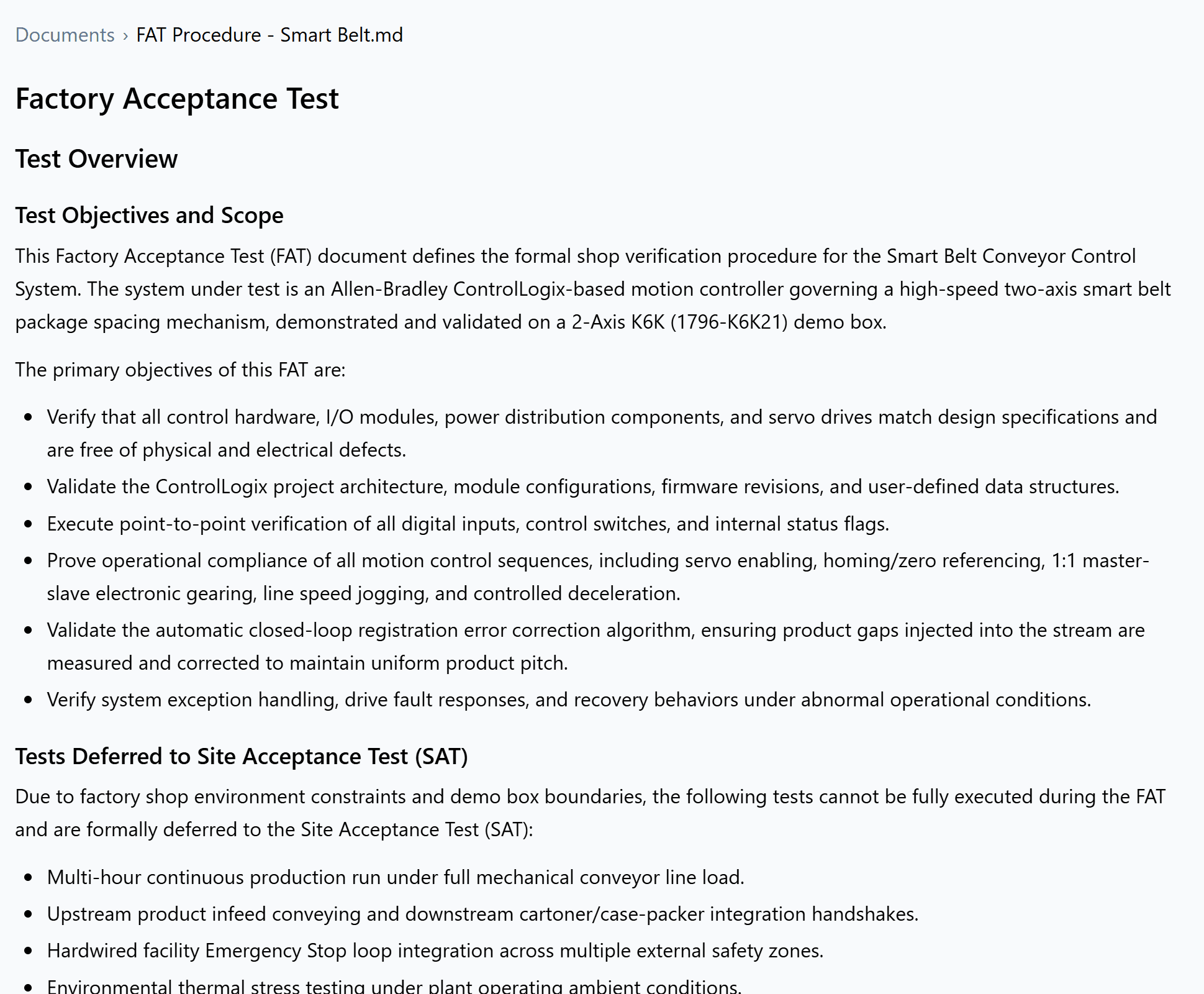
Every change as a redline
Documents are edited in place, and every change shows the way a reviewer reads one, before in red and after in green.
An approval record for the handover
A workbook of every tracked file: who approved which version and when, with its SHA-256 to check a copy against, every note, and every version noted as loaded to a device.
- JL Jordan Lee asked Priya Shah to approve v6 11:24 AM Tested the infeed on the FAT rig.
- PS Priya Shah requested changes to v6 1:10 PM Add door 3 to the run permissive too.
- JL Jordan Lee sent back v7 3:45 PM Door 3 added to rung 3 of Cell_Permissives.
- PS Priya Shah approved v7 3:58 PM Door 3 checked on the rig.
Documents
- Quotes and proposals
- Functional specifications
- Control narratives
- Sequences of operation
- Control logic specifications
- Code references
- FAT procedures
- SAT procedures
- Operator manuals
- I/O lists
- Bills of materials
Platforms
On the platforms you run
FAQ
Questions teams ask first
Can it write an operator manual from our HMI?
Which formats does it write?
Keep exploring
More ways teams use Altitude
See it on the work your team does every day
We'll walk through the workflows that matter most to your team, on the PLC, robot and HMI platforms you run, from review and troubleshooting to documents and migration.