For OEMs and machine builders

Every machine built to your standard, and supported for its whole life

Altitude keeps every machine’s code, drawings and documents understood: across options and variants, across the platforms your customers specify, and long after the engineer who wrote it has moved on.
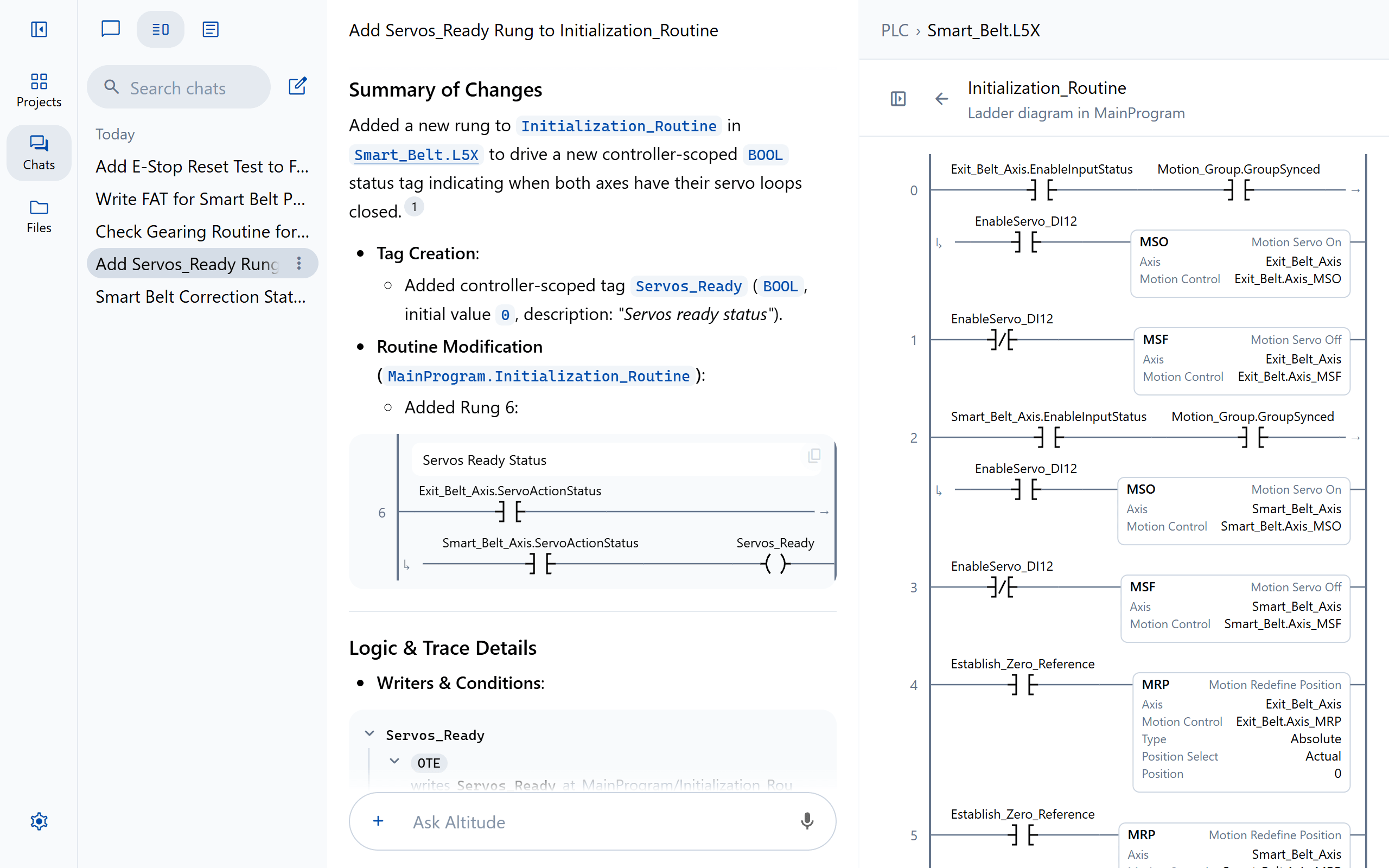
A chat that added a Servos_Ready rung, beside the routine it changed

The problem

Where the hours go

01

Every machine is a variant

Options, customer specifications and field changes leave each machine a little different from the last.

02

The customer chooses the platform

One customer specifies Rockwell, the next Siemens, and the robot brand changes with the plant.

03

Support calls come years later

The engineer who wrote the program has moved on, and a technician is on the phone at the machine.

Compare every machine and version

See how a machine differs from your standard, rung by rung, or what changed between the version you shipped and the version running now.

PLC › Line4_CasePacker.L5X File History
Approved by Priya Shah, v7 · Today 3:58 PM · “Door 3 checked on the rig.”
  1. Today

    1. Approved by Priya Shah

      In Line 4 PLC · Sam Rivera

    2. Note: Tested on the FAT rig

  2. Yesterday

    1. Downloaded by Sam Rivera

Changes in v7 Cell_Permissives · Rung 3 changed Before in red, after in green
3 RUN PERMISSIVE The cell may run only with every guard door closed and the safety system healthy. Door1_Closed Door2_Closed Safety_OK Run_Perm 3 RUN PERMISSIVE The cell may run only with every guard door closed and the safety system healthy. Door1_Closed Door2_Closed Door3_Closed Safety_OK Run_Perm
Asked in chat by Jordan Lee Restore v7 Download

Move a machine onto the customer’s platform

Translate PLC programs between Logix, TIA Portal and TwinCAT, and robot programs between 19 brands, with a report of every decision.

Translate PICK.LS to

FANUC PICK.LS · Teach pendant

1: UFRAME_NUM=1 ; 2: UTOOL_NUM=1 ; 3: J P[1:Home] 100% FINE ; 4: WAIT DI[101:Case_Present]=ON ; 5: L P[2:Above_Pick] 1000mm/sec CNT50 ; 6: L P[3:Pick] 250mm/sec FINE ; 7: DO[101:Gripper_Close]=ON ; 8: WAIT DI[102:Gripper_Closed]=ON TIMEOUT,LBL[90] ; 9: L P[2:Above_Pick] 1000mm/sec CNT50 ;

ABB Pick.mod

1 PROC Pick() 2 ! Frame 1 and tool 1 as wobjPick and tGripper 3 MoveJ pHome, v1000, fine, tGripper\WObj:=wobjPick; 4 WaitDI diCasePresent, 1; 5 MoveL pAbovePick, v1000, z50, tGripper\WObj:=wobjPick; 6 MoveL pPick, v250, fine, tGripper\WObj:=wobjPick; 7 SetDO doGripperClose, 1; 8 WaitDI diGripperClosed, 1\MaxTime:=5; 9 MoveL pAbovePick, v1000, z50, tGripper\WObj:=wobjPick; 10 ENDPROC

KUKA Pick.src

1 DEF Pick() 2 $BASE = BASE_DATA[1] 3 $TOOL = TOOL_DATA[1] 4 PTP XHOME 5 WAIT FOR $IN[101] ; Case_Present 6 LIN XABOVE_PICK C_DIS 7 LIN XPICK 8 $OUT[101] = TRUE ; Gripper_Close 9 WAIT FOR $IN[102] ; Gripper_Closed 10 LIN XABOVE_PICK C_DIS 11 END

URScript pick.script

1 def pick(): 2 # Frame 1 and tool 1 as set in the installation 3 movej(home, a=1.4, v=1.05) 4 while not get_standard_digital_in(0): sync() end 5 movel(above_pick, a=1.2, v=1.0, r=0.05) 6 movel(pick, a=1.2, v=0.25) 7 set_standard_digital_out(0, True) 8 while not get_standard_digital_in(1): sync() end 9 movel(above_pick, a=1.2, v=1.0, r=0.05) 10 end

One mapping for the whole project

P[2:Above_Pick] pAbovePick

DI[101:Case_Present] diCasePresent

DO[101:Gripper_Close] doGripperClose

Line 8: the wait’s TIMEOUT,LBL[90] branch is reported for review

One mapping for the whole project

P[2:Above_Pick] XABOVE_PICK

DI[101:Case_Present] $IN[101]

DO[101:Gripper_Close] $OUT[101]

Line 8: the wait’s TIMEOUT,LBL[90] branch is reported for review

One mapping for the whole project

P[2:Above_Pick] above_pick

DI[101:Case_Present] digital in 0

DO[101:Gripper_Close] digital out 0

Line 8: the wait’s TIMEOUT,LBL[90] branch is reported for review

Manuals written from the machine itself

Operator manuals from the HMI screens, and specifications, FATs and SATs from the code, on your own templates.
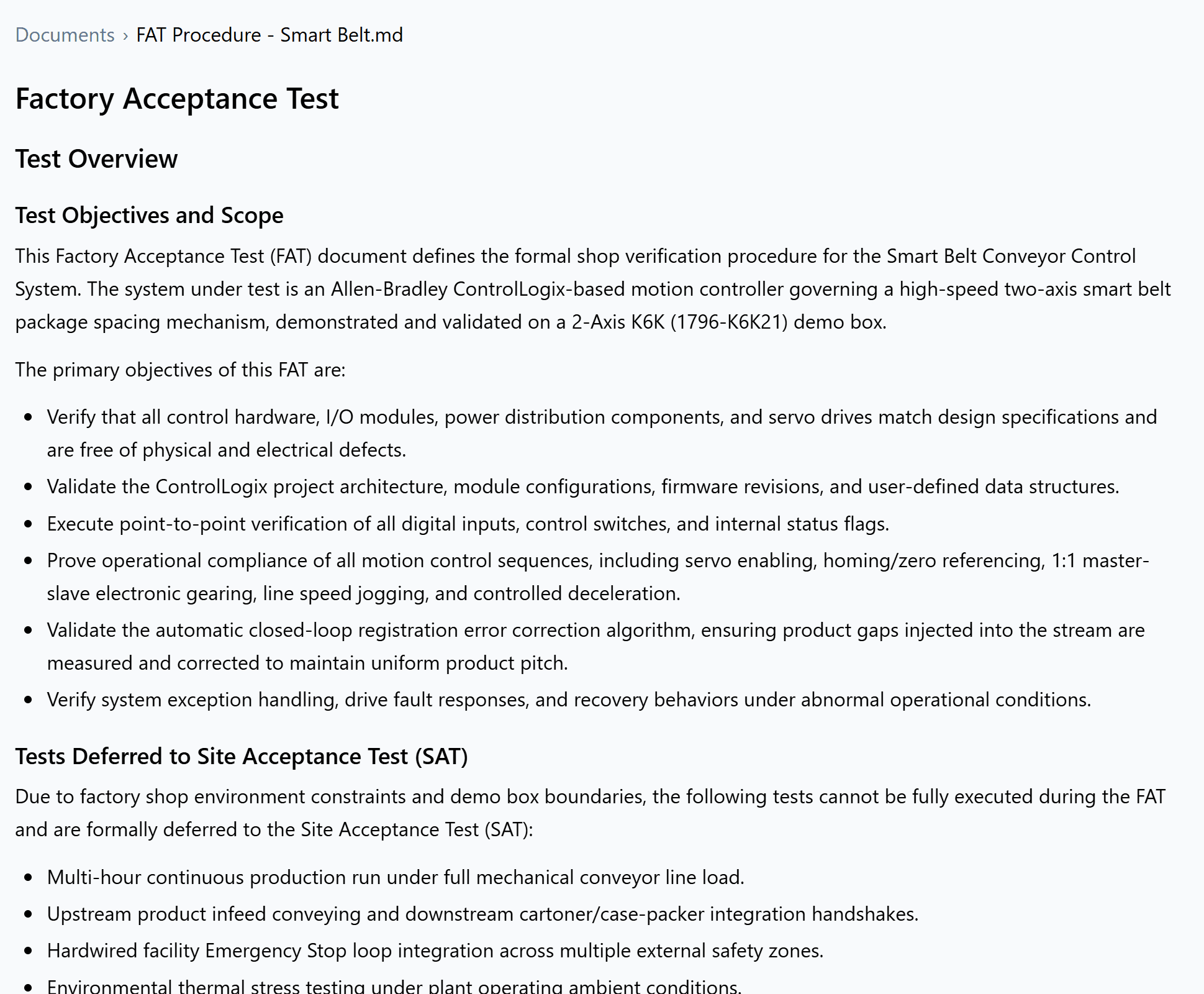
A factory acceptance test procedure Altitude wrote, open in the file view

Answers for the technician in the field

Describe what the machine is doing, and Altitude traces it back through the PLC and robot code to the cause, with the rung it rests on.
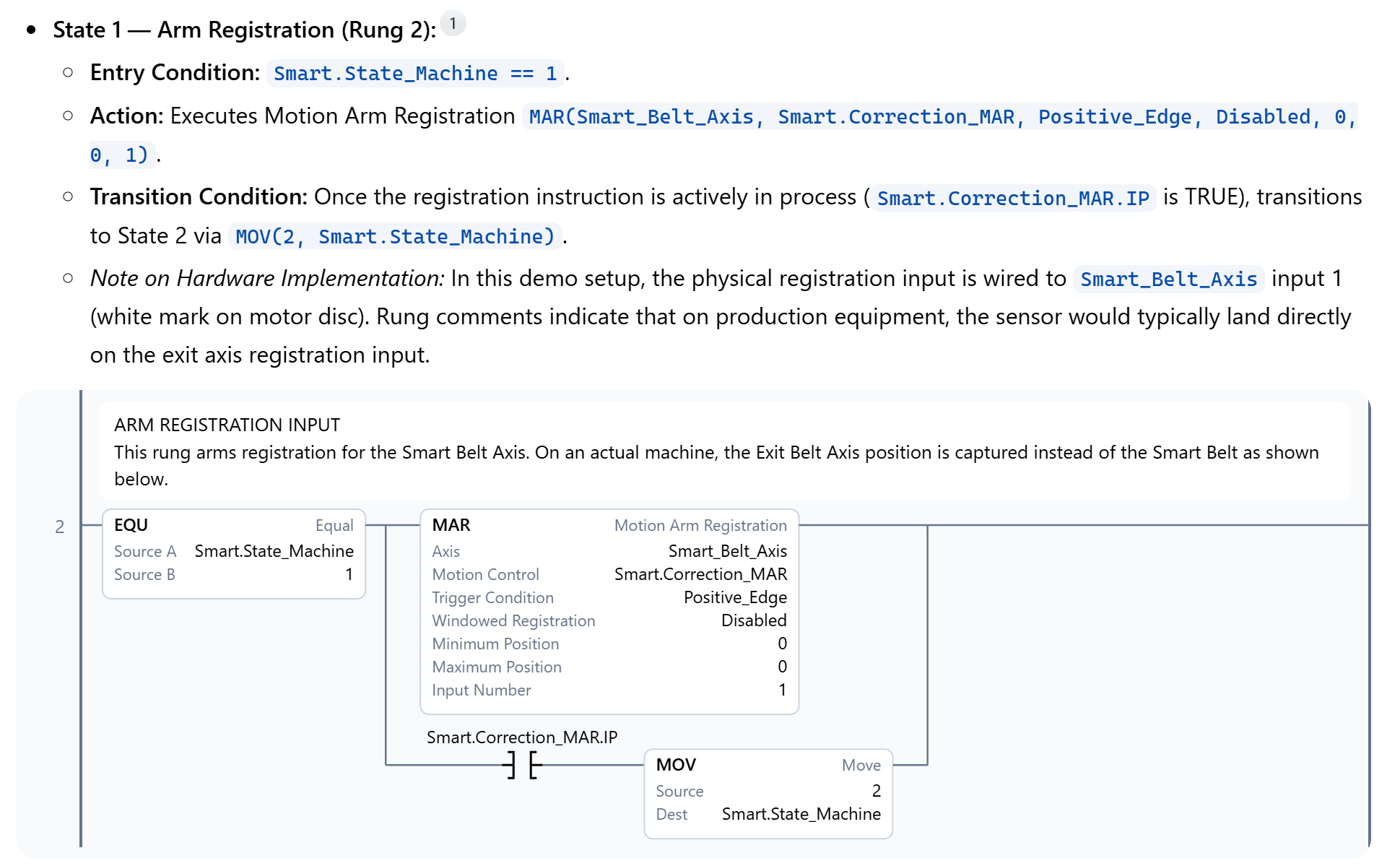
An answer explaining a motion registration rung, with the rung drawn as ladder and a citation to its routine

FAQ

Questions teams ask first

Can we hold every machine to our own coding standard?
Yes. Add your standard once, and reviews, edits and new code follow it on every machine and every platform.
Can we see which version of a program is on which machine?
Yes. File History records which version was downloaded, by whom and when, and a note of which version was loaded on each machine.

Keep exploring

More ways teams use Altitude

See it on the work your team does every day

We'll walk through the workflows that matter most to your team, on the PLC, robot and HMI platforms you run, from review and troubleshooting to documents and migration.