Commissioning and troubleshooting
From the symptom back to the rung
Describe what the machine is doing. Altitude traces it back through the PLC, the robot code, the HMI and the drawings, and answers with the rung, the line and the page.
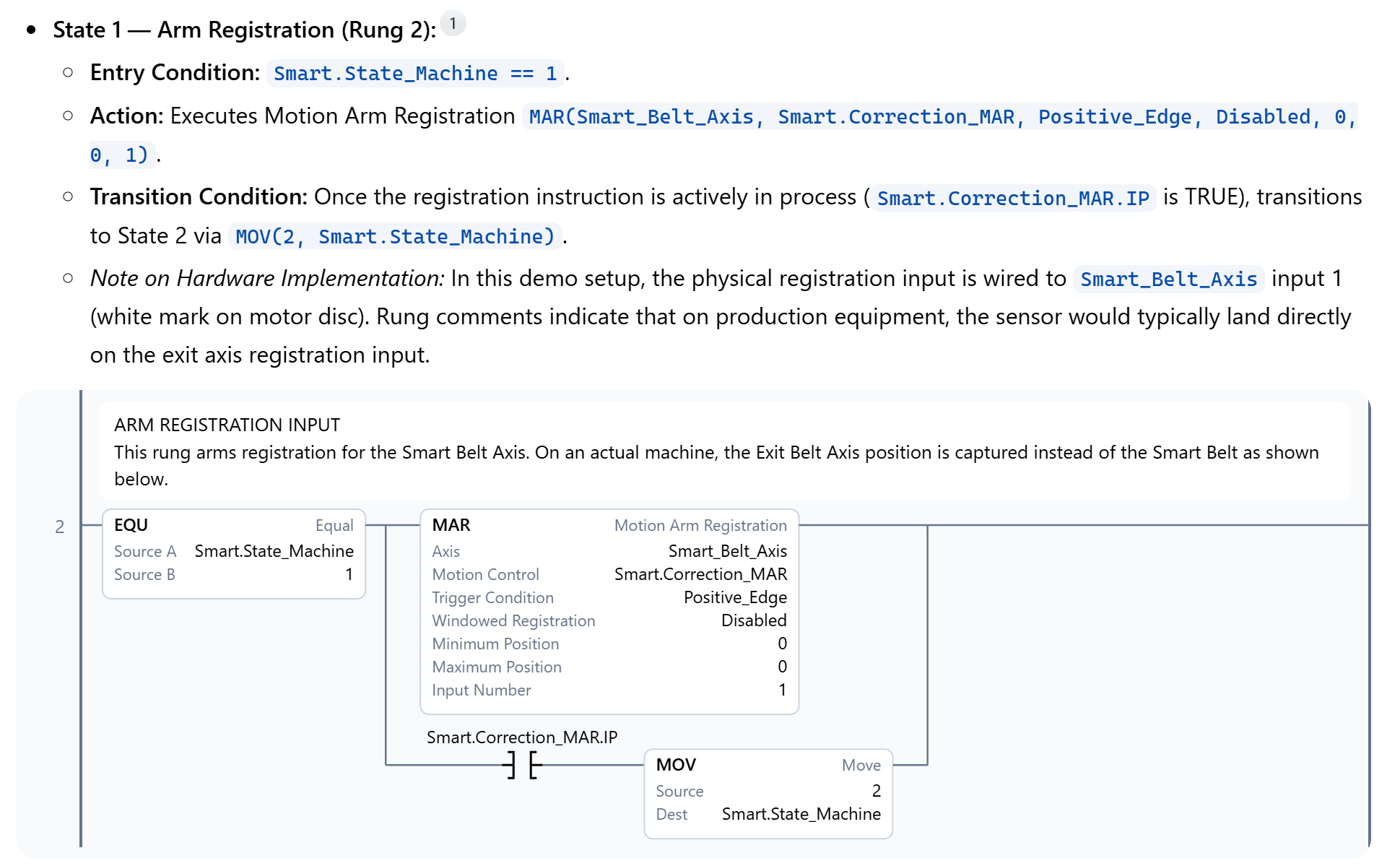
How it works
Step by step
- 1
Describe the symptom
In the words you would use on the floor: the infeed won’t restart after an e-stop.
- 2
Altitude traces it
Back from the output through every condition holding it, across programs, robots and the I/O on the drawings.
- 3
See the evidence
Every claim cites the file it came from, with the rungs drawn as ladder.
- 4
Fix it when you are ready
A proposed fix is drawn as rungs without touching the file, or made as a redline you review.
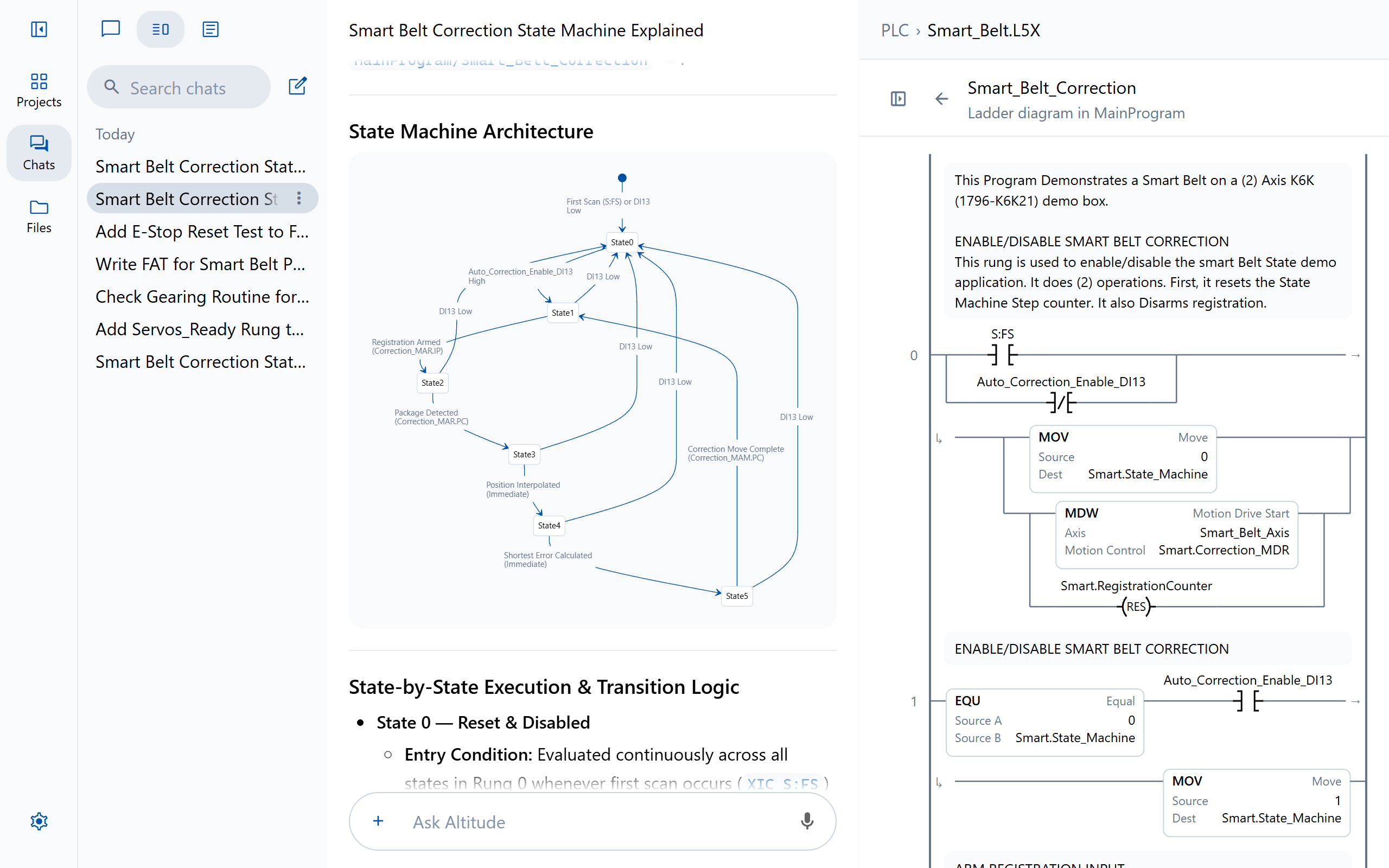
Sees how the whole sequence runs
State machines, signal flow and architecture drawn as diagrams beside the routine that runs them.
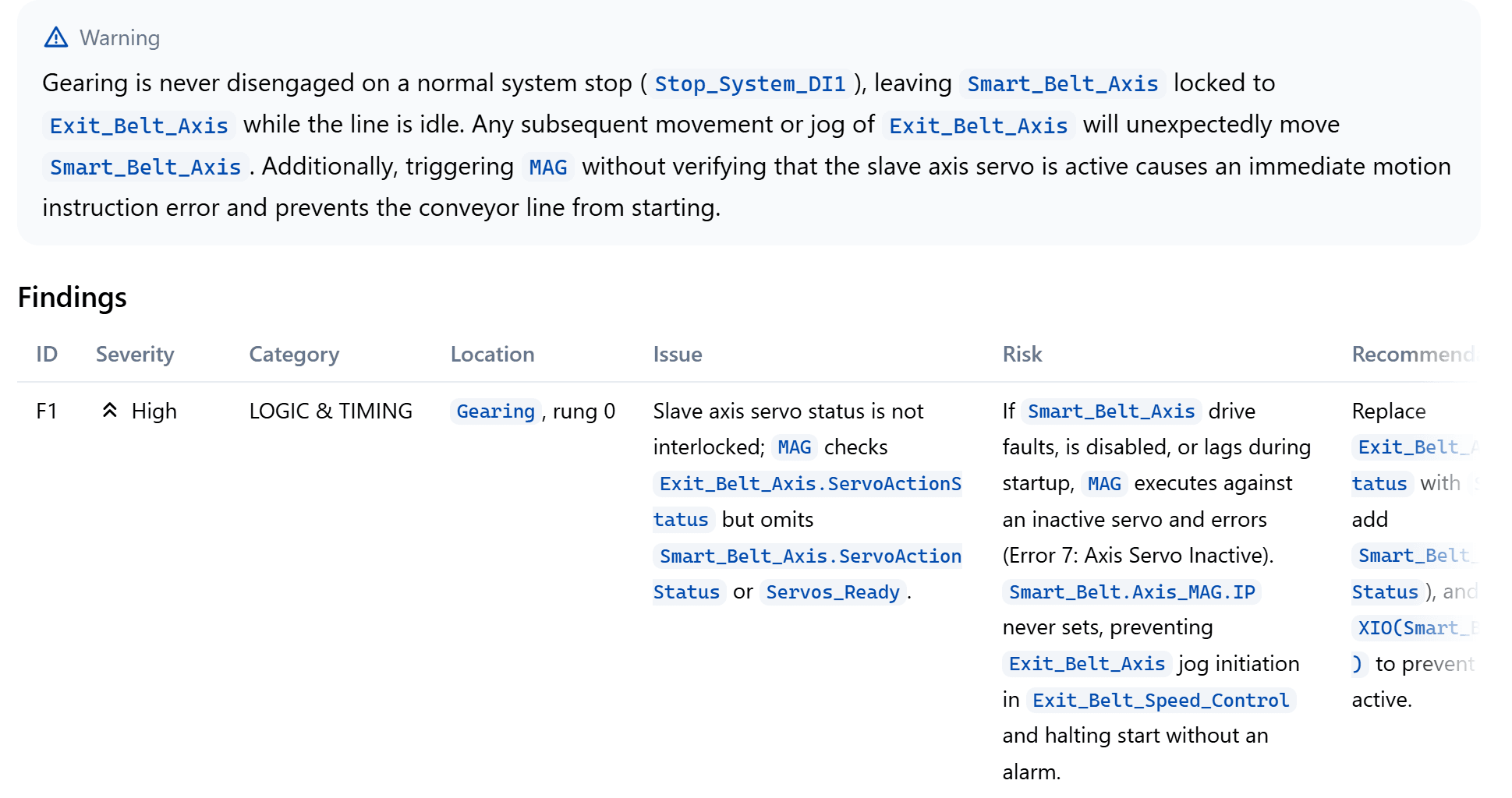
Finds the fault before the next shift does
A review leads with what matters most, then a row for each finding with its severity, location, risk and fix.
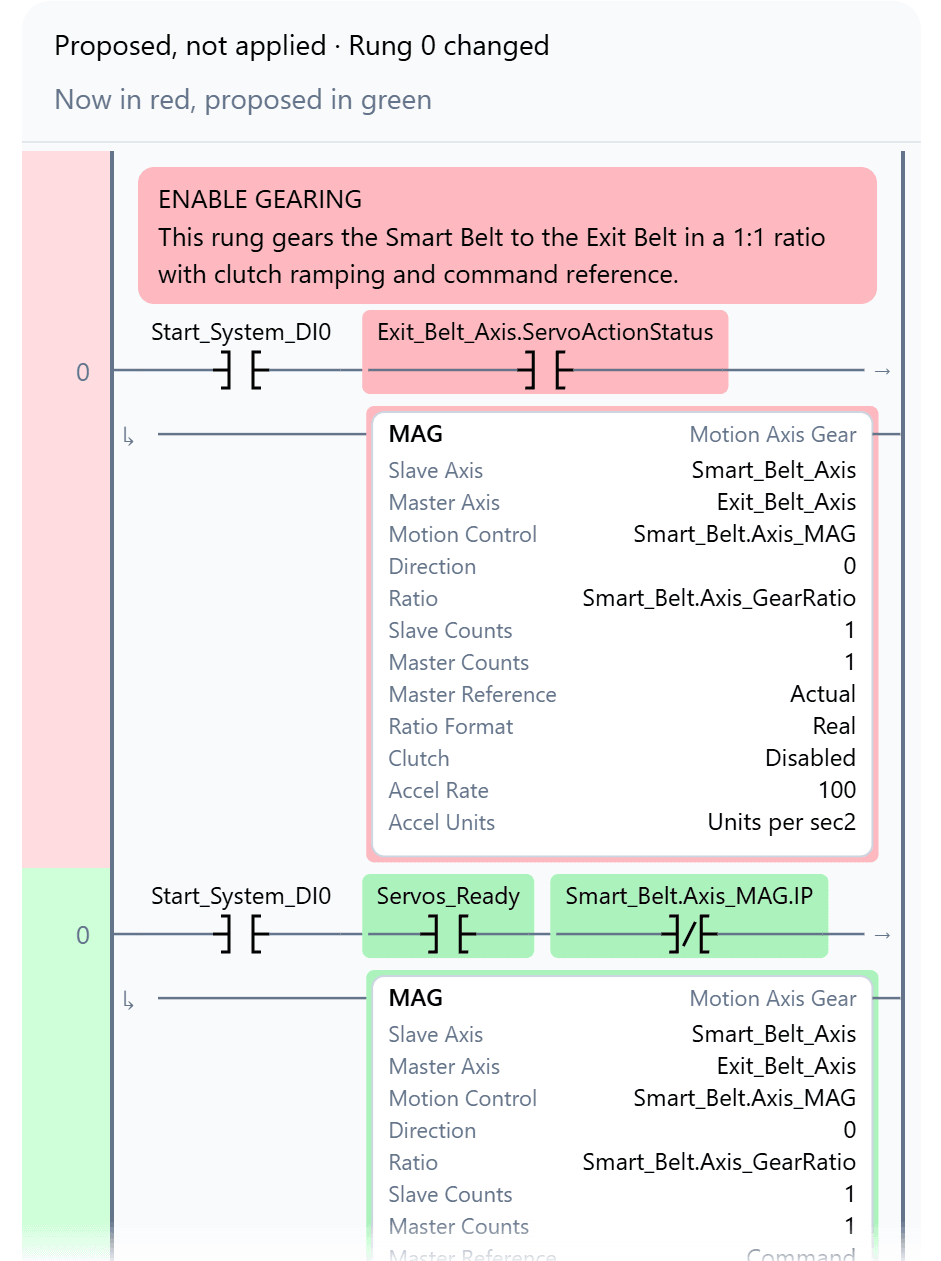
A fix you can look at first
Proposed fixes are drawn as rungs in the answer, so the change can be discussed before anyone touches the file.
Platforms
On the platforms you run
FAQ
Questions teams ask first
Can it find problems nobody has reported yet?
Can it follow a signal from the PLC into the robot?
Keep exploring
More ways teams use Altitude
See it on the work your team does every day
We'll walk through the workflows that matter most to your team, on the PLC, robot and HMI platforms you run, from review and troubleshooting to documents and migration.