AI for KUKA KRL programs
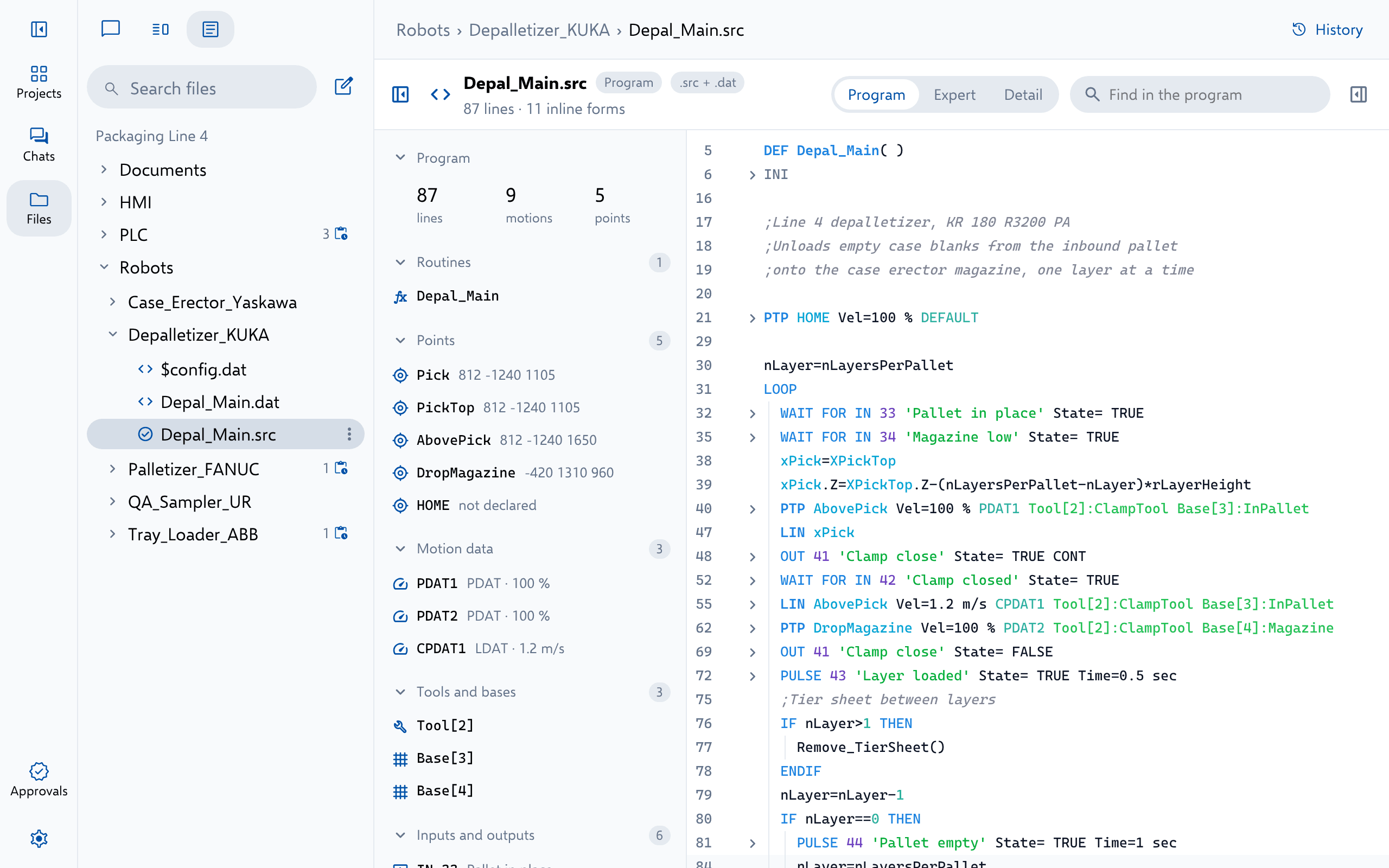
Altitude reads, writes and troubleshoots KUKA KRL programs, their data lists and controller files.
- Vendor
- KUKA
- Languages
- KRL
- Files
- .src.dat.subController files
- Covers
- KR C4KR C5KSSsmartHMIWorkVisual

- 1 Add the program, its data or a whole controller backup
- 2 Ask, review the redline and approve it in Altitude
- 3 Load the changed program onto the controller with the brand’s own tools
What Altitude does
Everything a KUKA file holds, in one conversation
Ask about it, review it or change it. Every answer cites the file it rests on, and every change arrives as a redline your engineers approve, with every version kept.
- Read each program beside its data list, with every point and tool it uses
- Explain a program line by line, and trace a signal, register or position through the whole cell
- Troubleshoot a fault from what the cell does, back through the code to its handshakes with the PLC
- Review for defects nobody has reported yet, each with its severity, its line and a fix
- Change logic, motion, data and comments, and add, copy or rename programs and routines
- Translate a program to any of the other robot brands Altitude reads
- Open each file in a view of its own, with a diff of every change and its full history
Try asking
Requests engineers type every day
- Why does the robot slow down at P7 in Palletize.src?
- Add a second drop position to the pallet pattern.
Use it for
The work KUKA projects need most
More Robots
Read beside the rest of the line
FANUC FANUC Teach pendant programs and KAREL, from ROBOGUIDE or a controller backup. .ls.kl.pc.vr ABB ABB RAPID modules, system files and EIO.cfg I/O configuration. .mod.modx.sys.prg Yaskawa Motoman Yaskawa INFORM jobs and controller backups. .JBI.JBRController backups Universal Robots Universal Robots URScript, PolyScope programs and installations. .scriptProgramsInstallations
See Altitude on your KUKA files
We'll walk through the requests that matter to your team on the platforms you run, from review and troubleshooting to documents and migration.